How to Add Airbnb Calendar to Sane Host
Follow these steps to connect your Airbnb listing calendar to Sane Host for automatic synchronization.
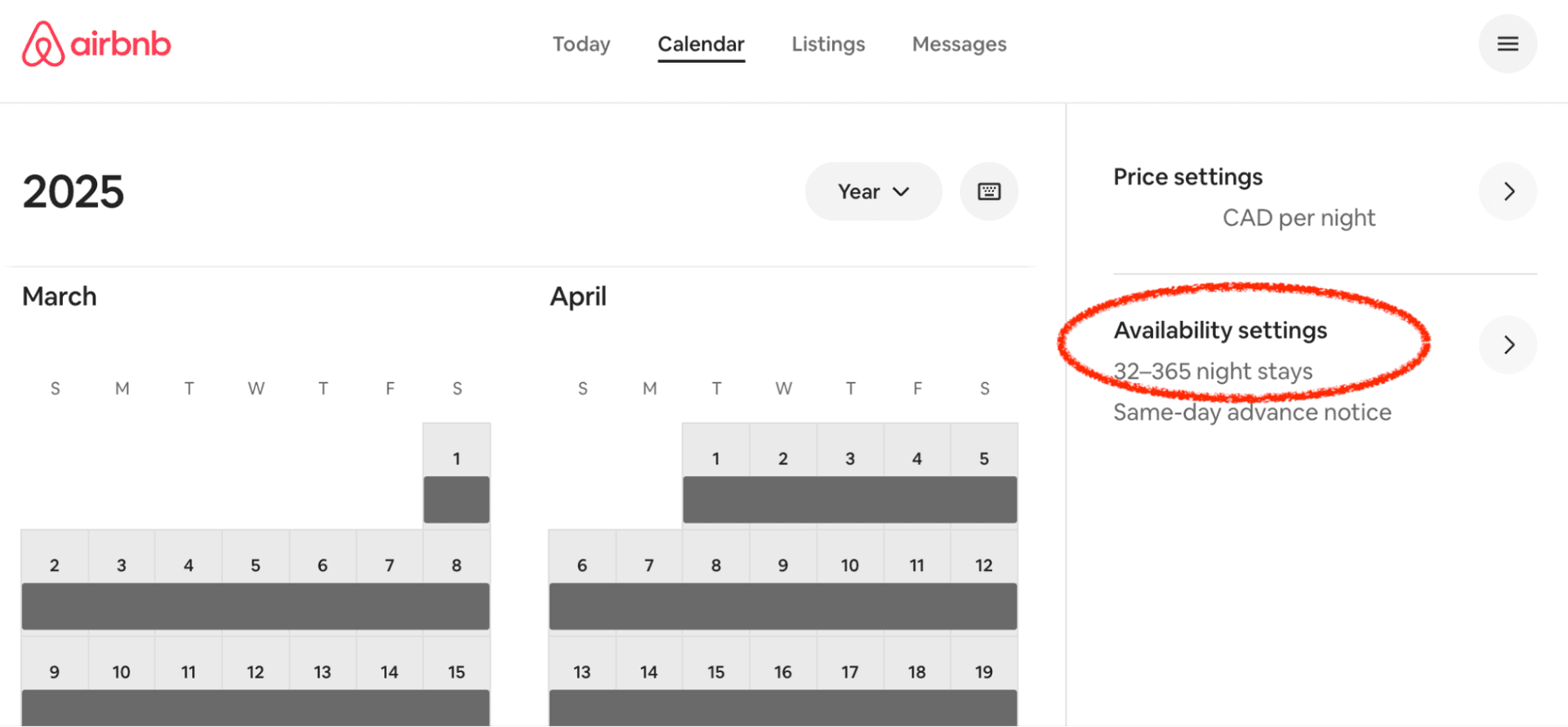
1Open Availability Settings
On the Airbnb Calendar page, click Availability Settings in the right sidebar:
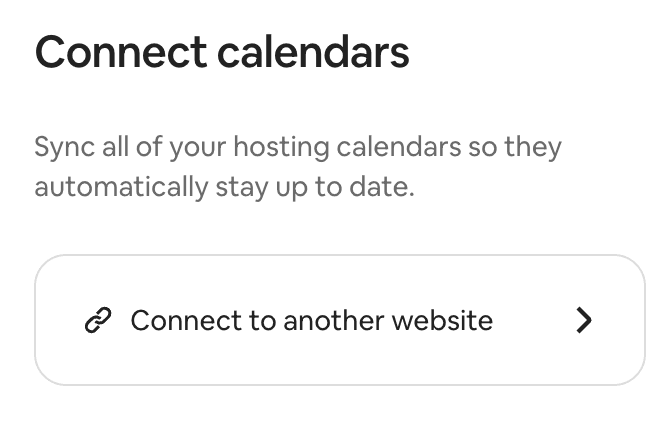
2Connect to Another Website
Scroll the Availability section to the very bottom, and click on the Connect link:
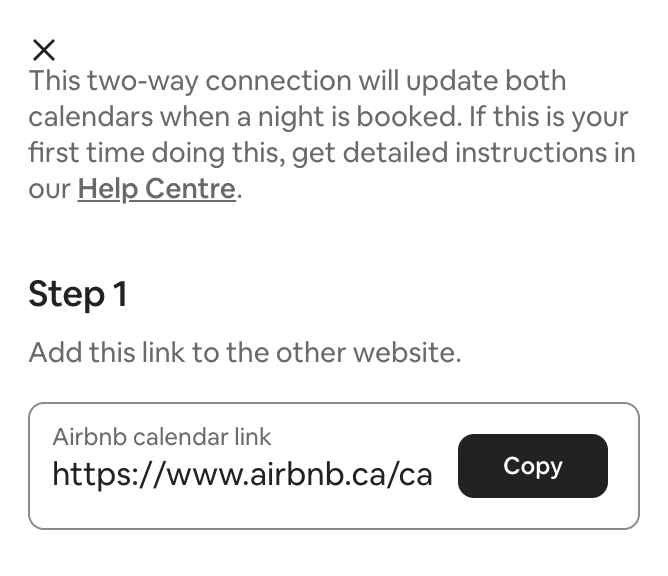
3Copy the Calendar URL
Copy the URL in the text box. This is your Airbnb calendar link:
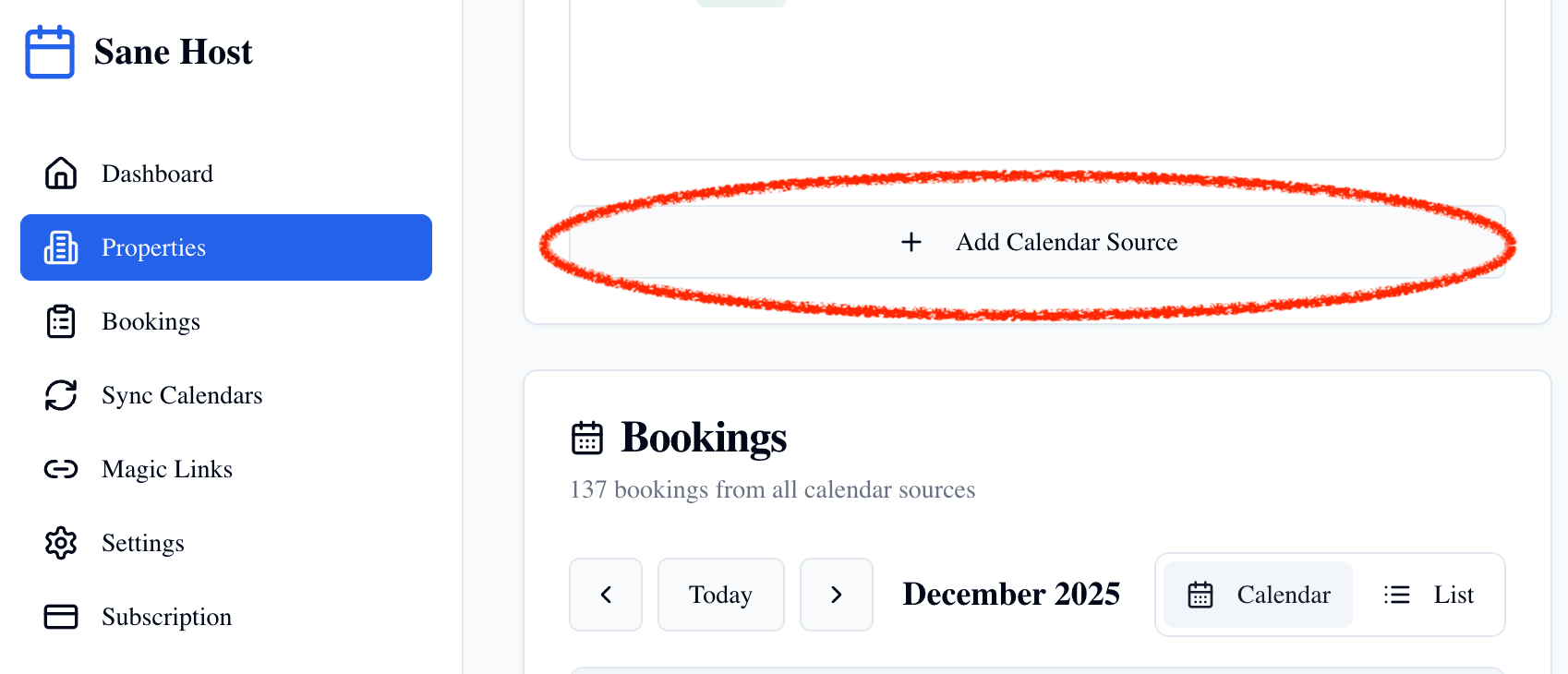
4Add to Sane Host
In Sane Host, go to your property and click + Add Calendar Source. Paste the Airbnb calendar URL you copied:
🎉 You're all set!
Your Airbnb calendar is now connected. Sane Host will automatically sync your bookings and keep everything up to date.