How to Add VRBO Calendar to Sane Host
Follow these steps to connect your VRBO listing calendar to Sane Host for automatic synchronization.
1Open Import & Export
From the VRBO Host Dashboard, go to Calendar and click the Import & Export button:

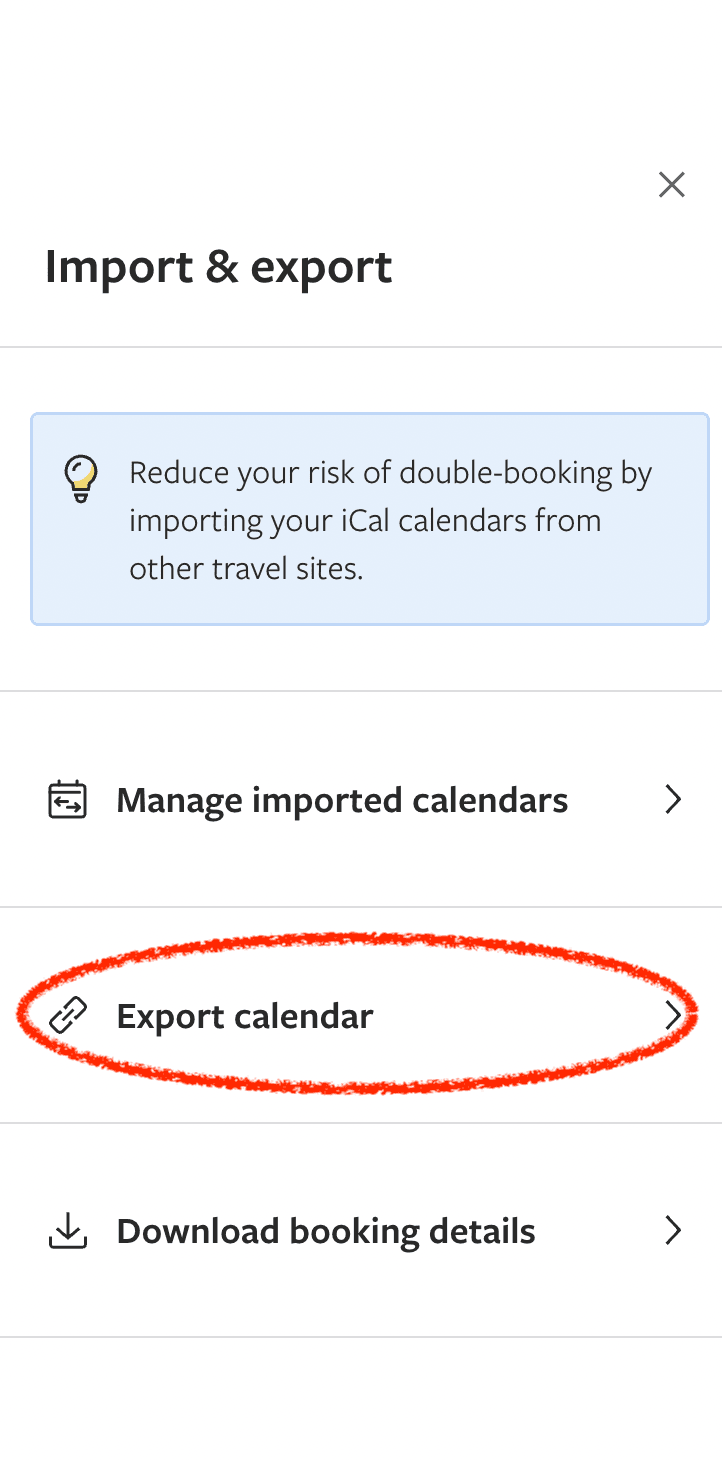
2Click Export Calendar
In the right-hand panel, click Export calendar:
3Copy the Calendar URL
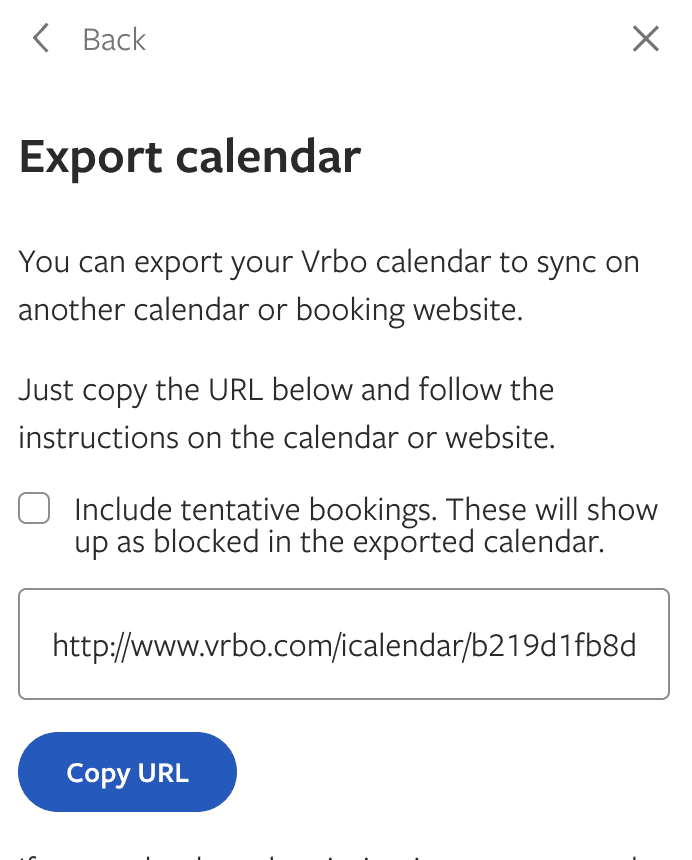
Copy the URL in the text box. This is your VRBO calendar link:
4Add to Sane Host
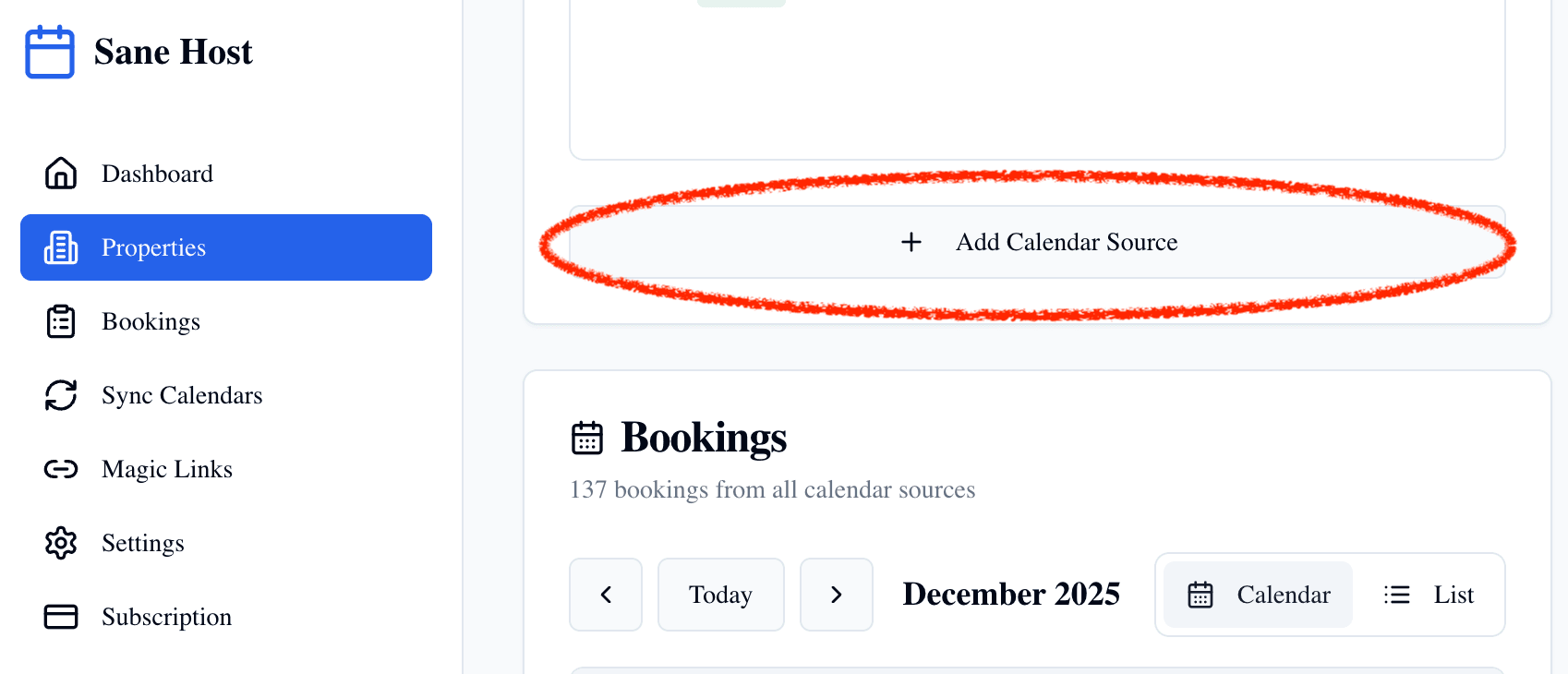
In Sane Host, go to your property and click + Add Calendar Source. Paste the VRBO calendar URL you copied:
🎉 You're all set!
Your VRBO calendar is now connected. Sane Host will automatically sync your bookings and keep everything up to date.